Steps to Verifying Service Area Profile via Exactix
This guide provides quick steps to verify your service area profile in Exactix. Profile Verification helps you maintain accurate records, reduce unnecessary notifications, and ensure smooth communication for your operations.
When your Service Area Profile is ready for review, you will receive an email notification from Exactix. The Service Area name and code are hyperlinked in blue in the email. Clicking the link will open Exactix in another browser window.
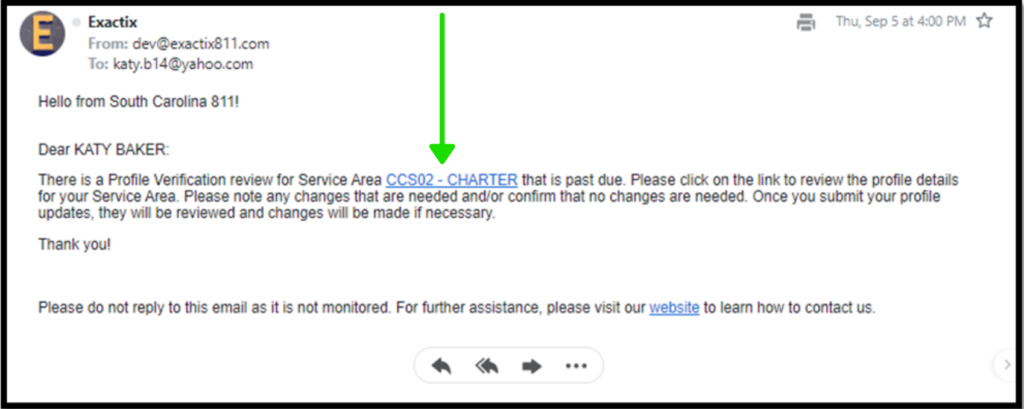
As soon as you click the link and sign into Exactix, pop-up boxes will appear, and you will need to cycle through them to verify each part of your company’s profile.
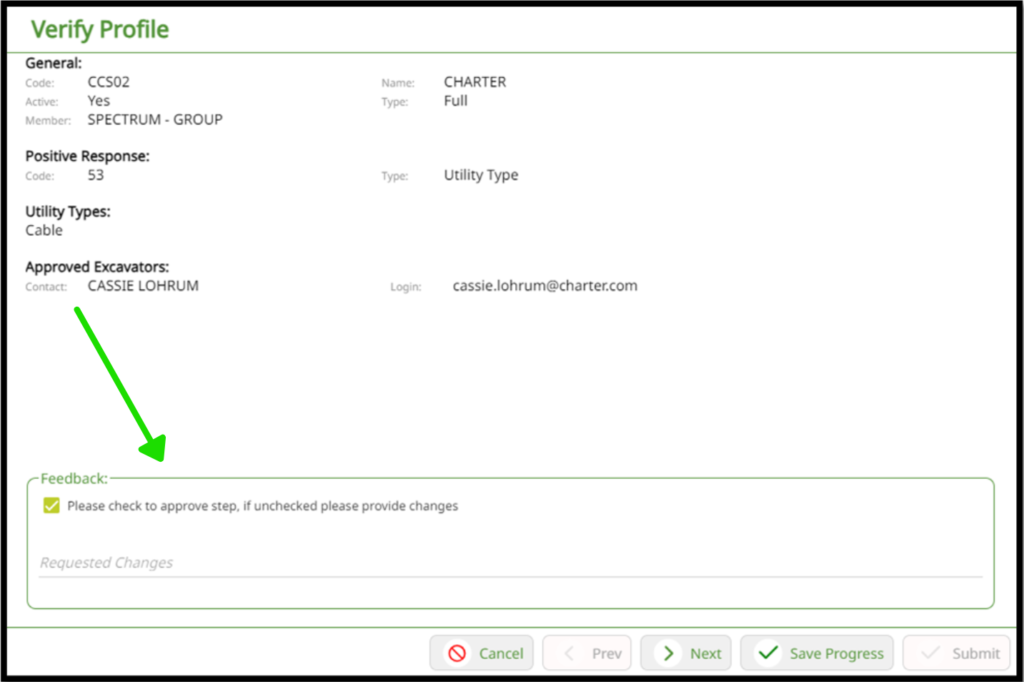
The first box you will be verifying is the general information box. This includes general information, positive response information, utility types, and approved excavators.
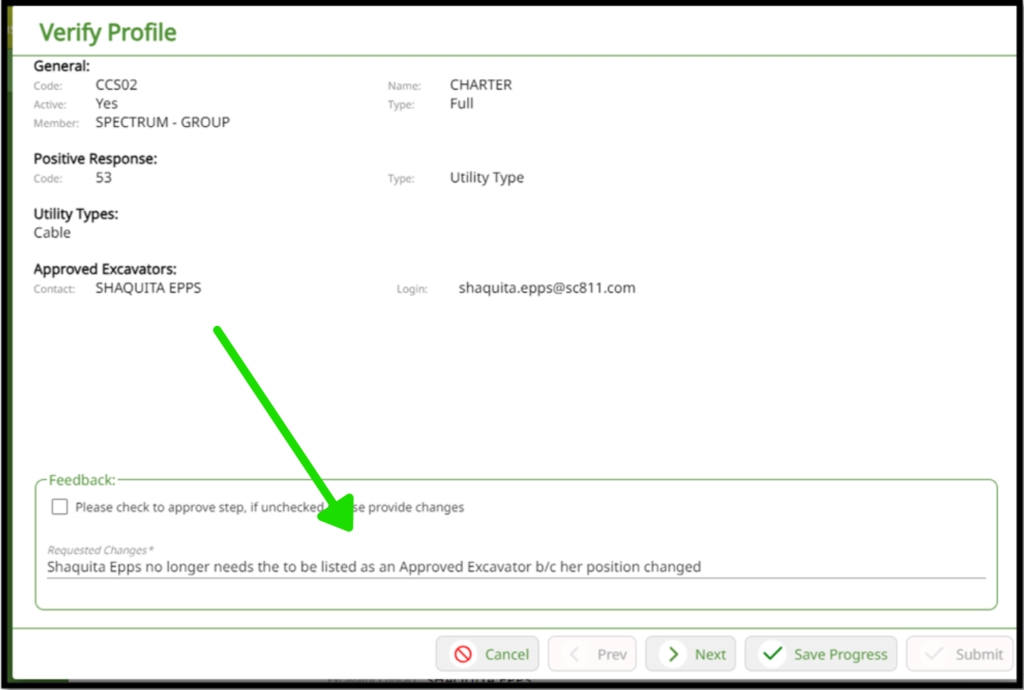
If everything is correct, you will check the ‘Please check to approve step, if unchecked please provide changes box’. If changes do need to be made to this information, you will need to type requested changes into the line prior to clicking ‘Next’.
Without Changes
With Changes
Important Note: Do not check the box if you are requesting changes. Only fill out the ‘Requested Changes’ line. Checking the box and filling out the line will erase the information you have entered.
You will verify four screens: General Information, Business Hours, Contacts, and Delivery Rules. At the end, you will click ‘Submit’.
Important Note: If you are not ready to submit, you can also ‘Save Progress’ at any time and return to complete the verification.
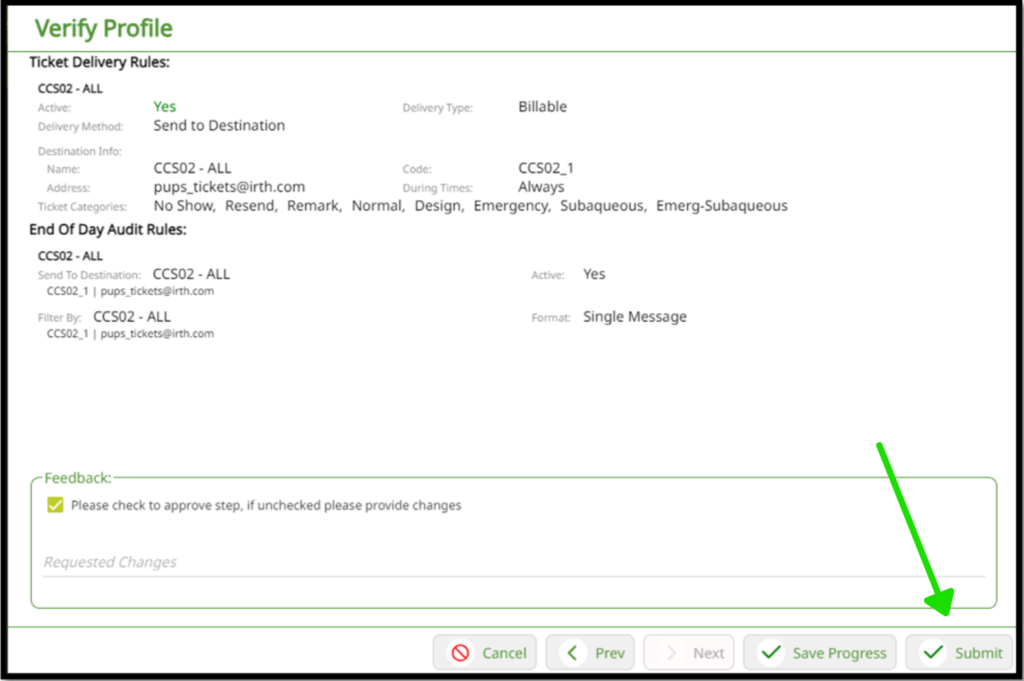
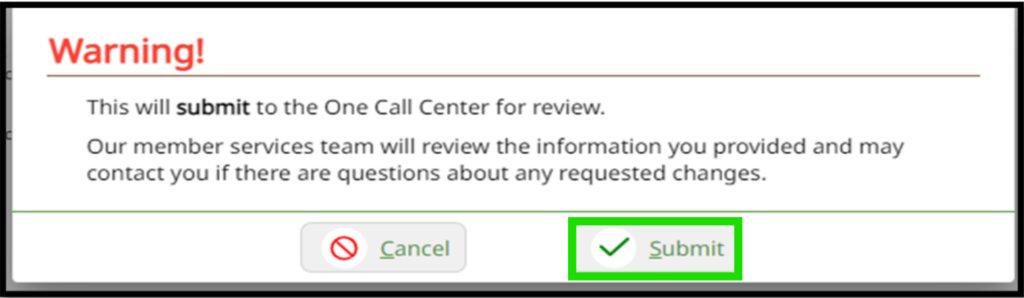
Once you click ‘Submit,’ a pop-up box appears, letting you verify that you are ready to submit this to the one call center for review. Click ‘Submit’ to complete the process.
Once submitted, our Help Desk Team will review your profile verification and make any necessary changes. If they have any questions, they will contact you directly.
In addition, if you have questions or need further assistance, feel free to contact us by emailing support@sc811.com